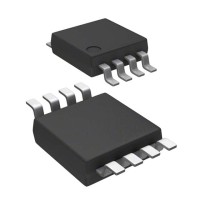
The MAX4721EUA+ is a robust dual SPST analog switch from Analog Devices/Maxim, but like any IC, its integration into a circuit can present challenges. A systematic approach to troubleshooting is essential to isolate issues, which often stem not from the IC itself but from its implementation. This guide outlines a practical methodology based on common failure scenarios seen in the field.
Typical Failure Modes and Root Causes: The most frequent issues include failure to switch, excessive signal distortion, and unexpected power consumption. Root causes are often external: incorrect or missing pull-up/pull-down resistors on the control logic inputs (IN1, IN2) can leave the switches in an undefined state. Exceeding the absolute maximum ratings, even momentarily, is a primary killer. This includes applying a signal to a switch channel before V+ is powered (latch-up), or allowing analog signals to exceed the supply rails, which can forward-bias internal ESD diodes. Insufficient or noisy supply decoupling is another common culprit, leading to erratic operation or poor ON-resistance (Ron) flatness. Finally, thermal overstress from excessive current through the switch channels can degrade or destroy the part.
Step-by-Step Debugging Methodology: First, verify power integrity. With power applied, measure V+ and GND at the IC pins (not just at the regulator) to ensure they are within the 2.7V to 5.5V range and free of noise. Use an oscilloscope, not just a multimeter. Second, check the control logic. Confirm the INx logic levels are solidly above VIH or below VIL relative to the IC's GND. A floating pin will cause unpredictable behavior. Third, isolate the switch. Remove any input signals and load. With a known control input, use an ohmmeter (power off) to check for a gross open or short between the COM and NO pins of each switch. Fourth, test dynamically. Apply a small signal (e.g., a 1kHz sine wave from a function generator at 1Vpp) and use an oscilloscope to compare input and output waveforms. Look for attenuation (which may be normal due to Ron and load) or severe distortion. Finally, monitor supply current under all switch states for anomalies.
Common Mistakes in Schematic Design and PCB Layout: Schematically, designers often forget the 10kΩ to 100kΩ pull-down resistors on the INx pins to ensure the switches default to OFF at power-up or during microcontroller reset. Assuming the switch is ideal and neglecting the voltage drop and distortion caused by its Ron and flatness across the signal range is another error. In layout, the cardinal sin is poor decoupling. A 0.1µF ceramic capacitor must be placed within a centimeter of the V+ pin, with a short, direct return path to the GND pin. Long, inductive traces to the supply will cause instability. Also, ensure the analog signal paths are kept away from noisy digital lines, especially the control traces, to prevent capacitive coupling of noise into the signal.
Verifying Component Authenticity and Quality: Source only from authorized distributors like Digi-Key, Mouser, or Avnet. Be wary of market prices significantly below average. Visually inspect the part: the Maxim/ADI logo and part marking (MAX4721EUA+) should be laser-etched clearly, not painted or blurred. The package (8-µMAX) should have consistent molding with no signs of resin bleed or irregularities. Electrically, key parameters to test in-circuit or on a sample are the quiescent supply current (should be nanoamps when switches are off, microamps when on) and the ON-resistance. You can measure Ron by passing a known small current (e.g., 1mA) through a closed switch and measuring the voltage drop across COM and NO.
Measurement Techniques and Test Equipment: Essential tools are a digital oscilloscope (for viewing power integrity and signal fidelity), a precision digital multimeter (for DC measurements), and a function generator. When measuring switch performance, use a 4-wire Kelvin technique if possible for accurate Ron measurement. To check for charge injection or clock feedthrough, which can be critical in sampling applications, use the scope's high-resolution mode to capture the small glitch on the output when the control toggles. Always use probe ground springs, not long leads, to avoid picking up noise.
Suspecting the Component vs. the Surrounding Circuit: Generally, suspect the surrounding circuit first. If one switch channel works and the other doesn't, the IC is less likely to be faulty. If the IC gets abnormally hot instantly upon power-up, a short elsewhere on the board is probable. If the switch passes basic in-circuit resistance checks and the control logic is verified, but the signal path is still dead, consider the PCB for cracks or cold solder joints. Only suspect the IC itself after confirming all external conditions are within the datasheet specifications, especially the absolute maximum ratings and logic levels. A bench test on a known-good breakout board can definitively isolate the component.
Real-World Case Studies: In one case, a data acquisition system showed intermittent signal loss on one channel. Debugging revealed the microcontroller GPIO controlling the switch IN pin was configured as open-drain during initialization but was not actively pulled low. The floating pin caused the switch to randomly toggle from noise. Adding a 100kΩ pull-down resistor resolved it. In another, a battery-powered device had shorter life than calculated. Current measurement showed 500µA leakage even with switches off. The issue was traced to the PCB layout: the decoupling capacitor for the MAX4721 was placed on the other side of the board via long traces. The resulting inductance caused power rail ringing during switching, briefly exceeding max ratings and partially latching the internal circuitry. Moving the capacitor next to the V+/GND pins eliminated the excess current. These examples underscore that meticulous attention to the IC's basic requirements prevents most failures.