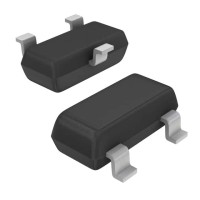
When troubleshooting circuits using the onsemi NVTR01P02LT1G P-Channel MOSFET, a methodical approach is essential. This 20V, 1.3A device in a tiny SOT23-3 package is robust but sensitive to misuse. Common failure modes often stem from exceeding its absolute maximum ratings, even briefly.
Typical failure modes include gate-oxide breakdown, thermal destruction, and latch-up. Gate-oxide breakdown is the most frequent culprit, caused by exceeding the ±12V gate-source voltage (VGS) rating. This can happen from voltage spikes on the gate drive, improper level-shifting, or even electrostatic discharge (ESD) during handling. Thermal failure occurs when the device dissipates more power than its package can handle, leading to a runaway increase in junction temperature. This is often due to insufficient heatsinking, operating continuously near its current limit, or a gate drive that leaves the MOSFET in its linear region for too long during switching. Latch-up, though less common in modern designs, can be triggered by fast voltage transients on the drain that forward-bias the parasitic substrate diode.
A step-by-step debugging methodology begins with a visual inspection under magnification. Look for cracked packages or discolored solder joints. Next, with power off, use a multimeter in diode-test mode. For a P-Channel MOSFET, place the positive probe on the source and negative on the drain; you should see a reading for the body diode (typically ~0.5-0.7V). Reverse the probes, and you should see an open circuit. Then, check gate-source and gate-drain resistance; both should be very high (megohms). If any of these checks fail, the MOSFET is likely damaged. With power applied, use an oscilloscope to measure the gate-source voltage (VGS) directly at the device pins. Ensure it cleanly transitions below the threshold voltage (VGS(th), max -1V per datasheet) to turn on, and returns to 0V or a positive voltage (for a P-Channel) to turn off. Use a current probe or measure voltage across a small source resistor to verify switching behavior and check for unexpected current spikes.
Common schematic and PCB layout mistakes are frequent sources of issues. Schematically, engineers often forget a pull-up resistor to the source voltage on the gate to ensure the MOSFET stays off when the driving microcontroller pin is high-impedance during startup. In layout, the most critical error is placing the gate drive circuit too far from the MOSFET, creating a large loop inductance that causes ringing and overshoot on VGS, potentially exceeding the maximum rating. The gate resistor must be placed immediately adjacent to the gate pin. Furthermore, inadequate trace width for the source and drain paths can cause excessive resistive heating and voltage drop, especially when driving near the 1.3A limit. Poor thermal relief on the source pins (which are often the primary thermal path in SOT-23) can lead to premature thermal shutdown or failure.
Verifying component authenticity and quality is crucial, especially when sourcing from distributors outside the official channel. First, inspect the top-side marking. The NVTR01P02LT1G should be laser-marked clearly. Compare the packaging tape and reel against known samples from an authorized distributor. Electrical testing, as described in the debugging steps, can reveal gross counterfeits (e.g., a different part or a severely out-of-spec device). For a more thorough check, you can set up a simple curve tracer or use a semiconductor parameter analyzer to measure the key datasheet parameters like VGS(th) and on-resistance (RDS(on)), though this requires specialized equipment.
Essential test equipment includes a digital multimeter, an oscilloscope with at least two channels (and ideally a differential probe for high-side switching), and a current probe or a low-value sense resistor for current measurement. When taking measurements, always use the shortest possible ground springs on your oscilloscope probes to avoid picking up noise. Measure VGS directly across the device's source and gate pins, not at the driver IC, to capture any ringing induced by layout parasitics. To measure power dissipation and check for safe operating area (SOA) compliance, simultaneously capture the drain-source voltage (VDS) and the drain current (ID) during switching events.
Suspect the component first when failures are catastrophic (short or open) and occur immediately upon first power-up, especially if you lack experience with MOSFET handling (ESD) or if the components were sourced from an unofficial supplier. Suspect the surrounding circuit when the device fails after repeated operation, overheats under load, or shows signs of stress like excessive ringing. If multiple units fail in the same way in the same circuit, the problem is almost certainly in the design or application, not in a batch of components.
Real-world case study 1: A designer used the NVTR01P02LT1G as a high-side switch for a 12V, 1A fan. The MOSFET failed repeatedly after a few minutes. Debugging showed the gate was driven by a 3.3V microcontroller GPIO through a 10kΩ resistor. The VGS was only -3.3V, which, according to the datasheet graph, resulted in an RDS(on) of nearly 0.3Ω. At 1A, this caused 0.3W of dissipation, overheating the small package. The solution was to use a proper gate driver or a logic-level MOSFET specified for 3.3V drive.
Real-world case study 2: In a battery-powered device, the P-MOSFET was used for load switching. Units would occasionally fail in the field. Oscilloscope measurement revealed a 50V spike on the drain line during hot-plugging of the load, exceeding the 20V VDS rating. The inductive kick from the load's wiring was destroying the device. The fix was to add a small TVS diode or a snubber circuit across the drain and source to clamp the voltage spike.